Creative Studio Management Platform
A SaaS platform designed to help freelance designers, developers, and small creative teams manage projects, tasks, clients, files, and deadlines in one place.
View prototype(opens in a new tab)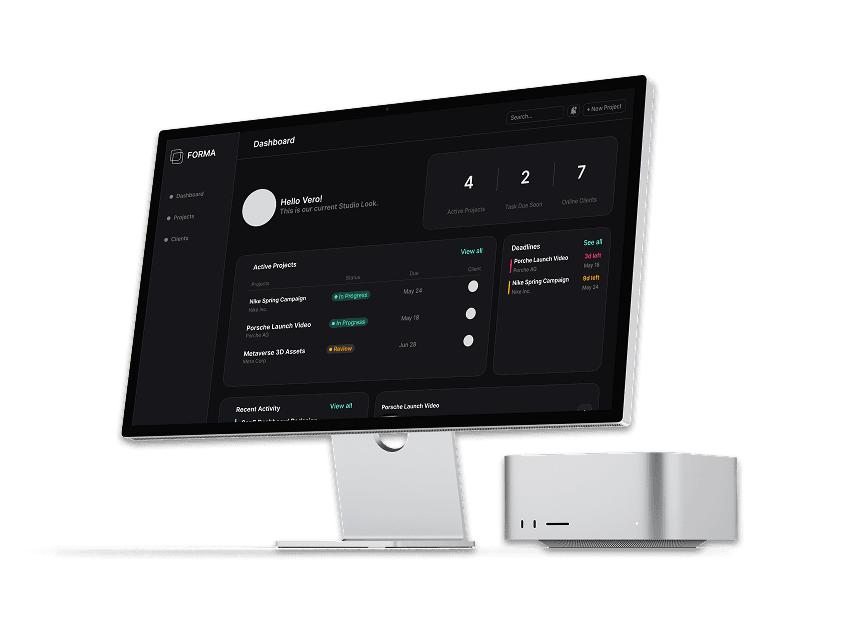
- Role
- UI/UX Designer
- Project-Type
- Self-Initiated • SaaS / Product Design
- Tools
- Figma
- Year
- 2026
FORMA is a self-initiated SaaS concept exploring how freelance designers, developers, and small creative teams could manage projects, tasks, files, deadlines, and client work in one centralized workspace.
The concept was built around the typical workflow of a creative project — from organizing clients to creating projects, assigning tasks, managing files, tracking deadlines, and handling feedback.
As the UI/UX designer, I designed the platform from the ground up, focusing on creating a structured and intuitive experience that simplifies complex workflows while maintaining a clean, modern, and scalable interface.
Design Process
To design the platform, I followed a structured design approach.
- 1Explore
- 2Define
- 3Wireframe
- 4Structure
- 5Design
- 6Prototype
Understanding the Problem
The Challenge
Creative projects involve more than just completing tasks. Designers and developers often have to coordinate clients, projects, deadlines, files, feedback, and team responsibilities at the same time.
When these parts of a project are managed across different tools or workflows, information can become scattered, making it harder to understand what needs attention and where a project currently stands.
The core question
How might we create one centralized workspace that makes managing creative projects simpler, clearer, and more organized?
- 01
Scattered Workflows
Project information, communication, files, and tasks can become spread across multiple platforms.
- 02
Limited Project Visibility
Keeping track of progress, responsibilities, and upcoming deadlines becomes difficult as projects grow.
- 03
Disorganized Files & Feedback
Creative files and client feedback need to stay connected to the projects they belong to.
- 04
Too Much Complexity
Project management tools can introduce unnecessary complexity for freelancers and smaller creative teams.
Goals & Objectives
The goal was to create a centralized platform that makes creative project management simpler, more organized, and easier to navigate without overwhelming users with unnecessary complexity.
- 01
Centralize the Workflow
Bring projects, tasks, files, deadlines, and client information together in one workspace.
- 02
Improve Project Visibility
Make it easier to understand project progress, upcoming deadlines, and assigned responsibilities at a glance.
- 03
Simplify Collaboration
Create a clear environment where teams can coordinate work and keep project-related information connected.
- 04
Create a Scalable Experience
Design a flexible platform that can support individual freelancers as well as growing creative teams.
Information Architecture / User Flow
- Clients
- Clients Details
- Related Projects
- Name
- Description
- Client Type
- Date
- Project Type
- Team Members
- Project Overview
- Tasks
- Files
- Team Members
- Feedback
- Deadlines
- Project Files
- File Details
- Versions
- Assigned Tasks
- Status
- Due Dates
Visual Direction
FORMA's visual direction was designed to feel modern, focused, and approachable while supporting the complexity of managing multiple creative projects. The interface combines a clean layout with a distinctive color palette, subtle gradients, and structured components to create a professional workspace without feeling overly corporate.
Color Palette
- #16161BMain Color
- #0F0F11Background
- #7A7A7AMain Text Color
- #FFFFFFMain Header Color
- #6366F1Accent
- #76E9F2Accent
- #2AFFC4Accent
- #F5A623Accent
Typography
Inter
Heading / Display
Body / Supporting text
Inter was chosen for its clean, modern, and highly legible characteristics. Its neutral design supports FORMA's information-heavy interface while maintaining a clear visual hierarchy across headings, labels, and body text.
UI Design & Final Prototype
(High Fidelity)
Core Workspace
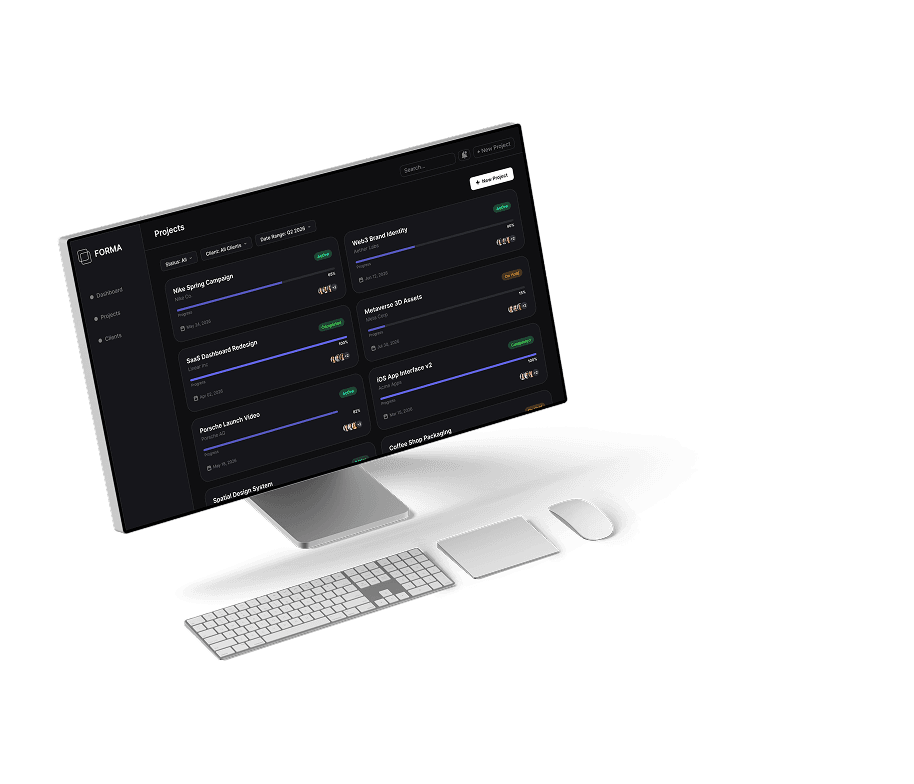
FORMA brings together several key areas of creative project management within one workspace. The Dashboard provides an overview of ongoing work and activity, while Clients and Projects give users dedicated spaces to organize client relationships and manage individual engagements.
Project Creation Flow
The project creation flow guides users from initial setup to a fully organized workspace. The process is divided into clear stages for entering project details, adding team members and tasks, reviewing the information, and creating the project.
Project Workspace
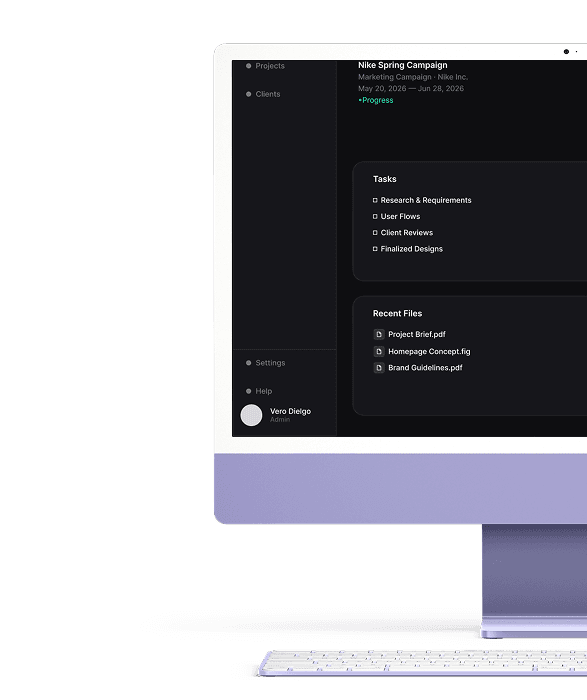
Once a project is created, FORMA keeps the day-to-day work organized within the project workspace. Tasks, responsibilities, files, deadlines, and project activity are brought together so users can manage progress without switching between separate tools or losing context.
Outcome
FORMA brings the core elements of creative project management into a single, structured workspace. The final design establishes a clear flow from project creation to day-to-day execution, connecting clients, tasks, files, deadlines, and project activity within one cohesive experience.
The result is a scalable SaaS concept that demonstrates how complex creative workflows can be organized into a focused and approachable interface without sacrificing the functionality teams need to manage their work.
Reflection
Designing FORMA gave me the opportunity to explore the challenges of designing a SaaS product with multiple interconnected workflows. One of the biggest lessons was learning how to organize a large amount of information without making the interface feel overwhelming.
The project also strengthened my understanding of designing beyond individual screens. Creating the relationships between clients, projects, tasks, files, and deadlines required thinking about how the entire product experience works together.
If I were to continue developing FORMA, I would explore the concept through usability testing and further iteration to validate the workflows, identify friction points, and refine the experience based on real user feedback.