
Microgenesis Central Hub
Improving Usability in a Multi-Module Mobile Application
Overview
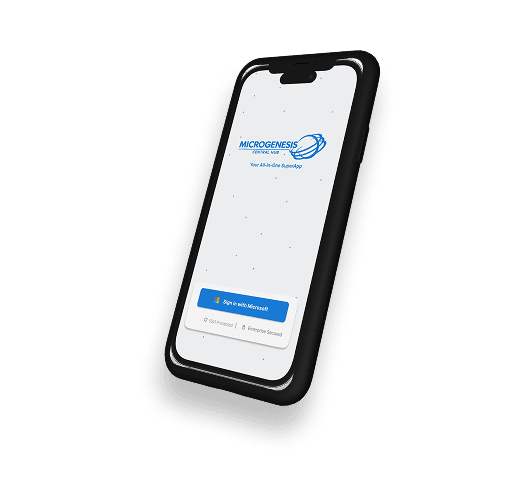
Microgenesis Central Hub is a mobile application designed to centralize employee and administrative workflows into a single platform.
Role
QA Tester & UI/UX Contributor
- Tested workflows and system interactions
- Identified usability issues
- Analyzed user behavior and flow
- Did high fidelity
Observation
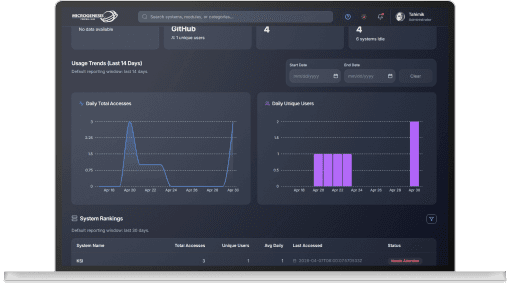
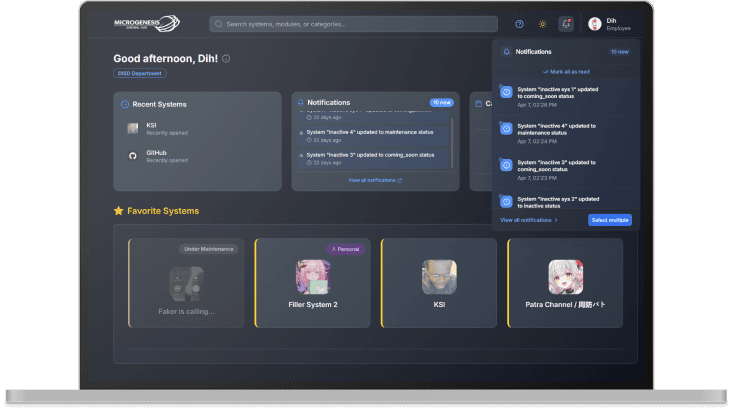
The interface contains dense information and multiple actions, making it optimized for desktop use. On smaller screens, key actions become harder to access, resulting in inefficient mobile interaction.
Problem
The system is primarily designed for desktop use, with no dedicated mobile experience. Its complex interface does not translate well to smaller screens, requiring a separate mobile solution instead of a responsive design.
Design Process
To adapt the system for mobile use, I followed a structured design approach.
- 1System Review
- 2Feature Mapping
- 3Prioritization
- 4User Flow
- 5UI Design
- 6Iteration
Existing Desktop System
The current system is designed for desktop use, with dense information and complex workflows.
Solution
- Analyzed how desktop workflows translate to mobile use
- Identified essential features for mobile interaction
- Suggested simplified layout and clearer visual hierarchy
- Reduced complexity by focusing on key user actions
- Supported direction for a dedicated mobile-first experience
The solution focused on rethinking the Central Hub experience for mobile rather than simply shrinking the existing desktop interface. I evaluated the existing workflows to determine which actions and information were most important on smaller screens, then explored ways to simplify the experience without removing essential functionality.
The goal was to create a more focused and intuitive mobile experience that reduces unnecessary complexity, improves accessibility, and allows users to complete key tasks more efficiently.
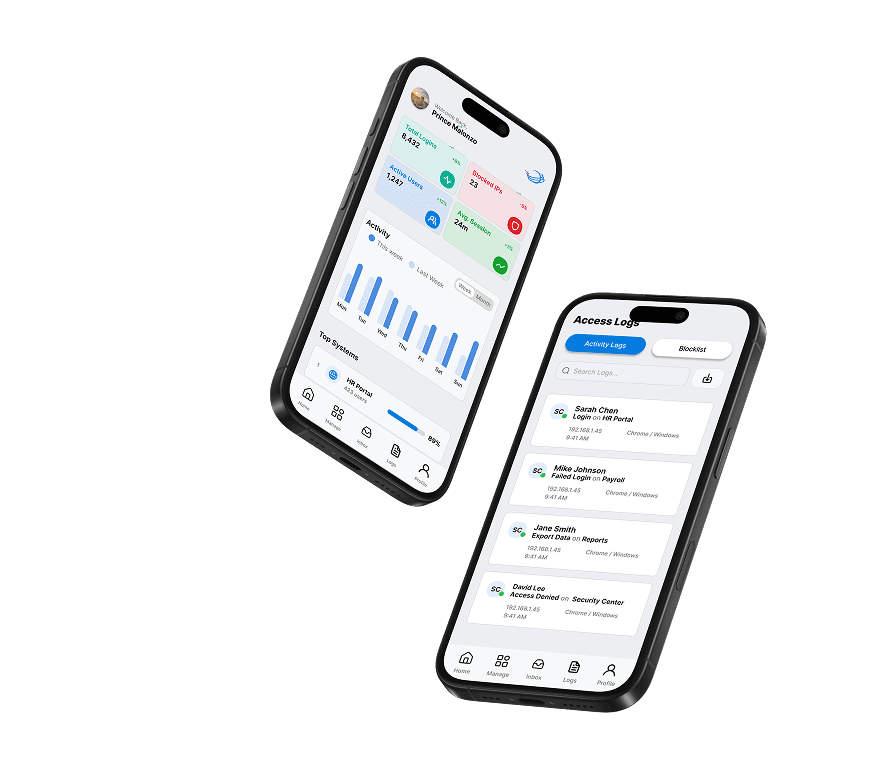
Designed Mobile Experience
(High Fidelity)
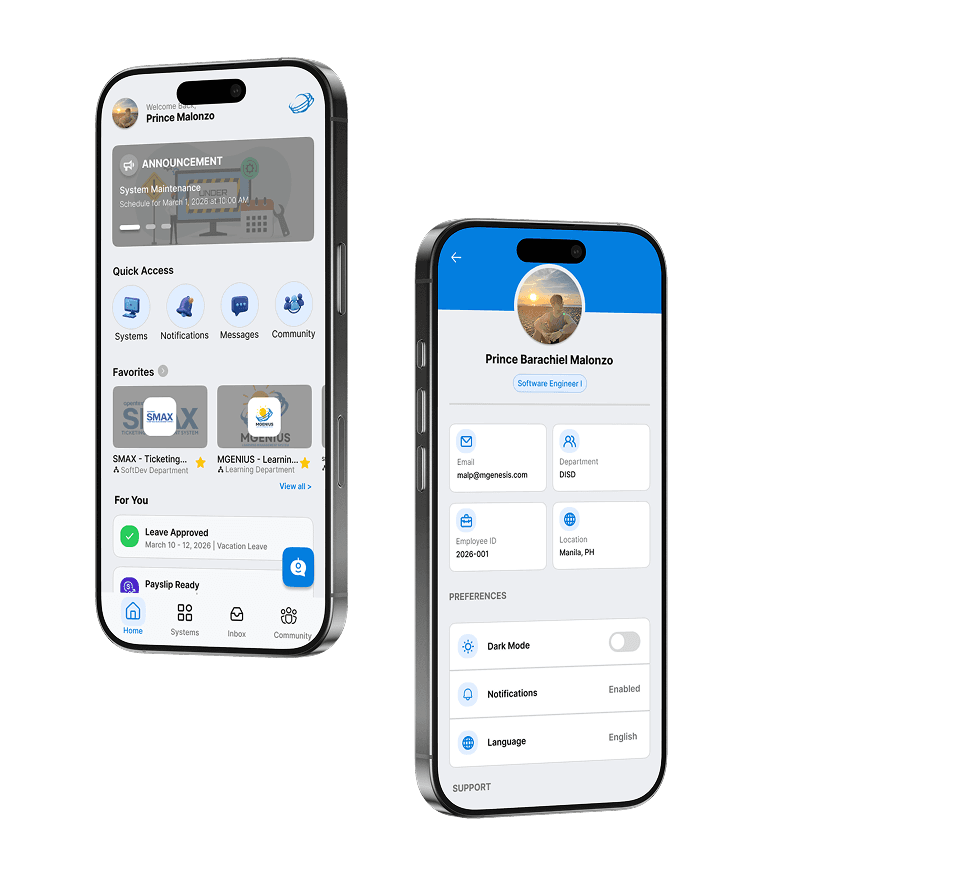
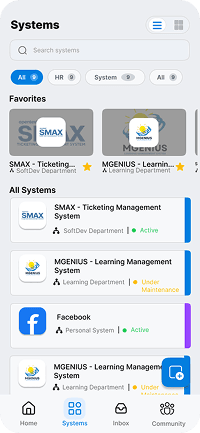
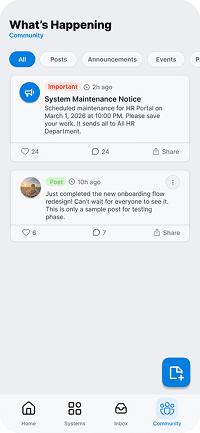
Employee Side
- Home
- Community
- Systems
- Profile
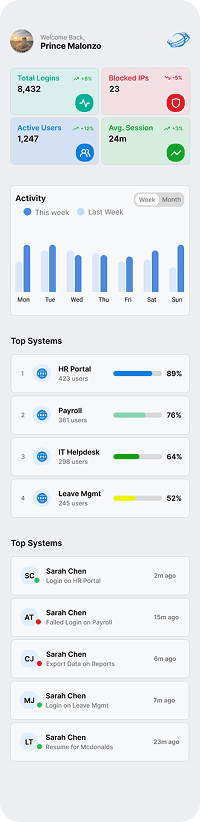
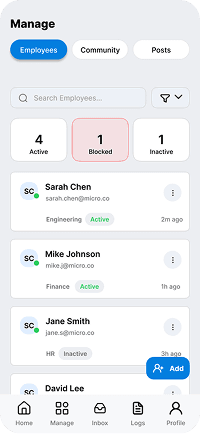
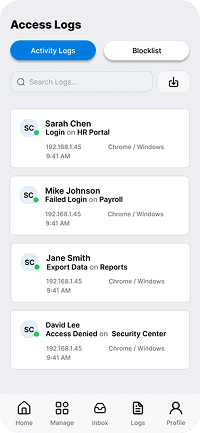
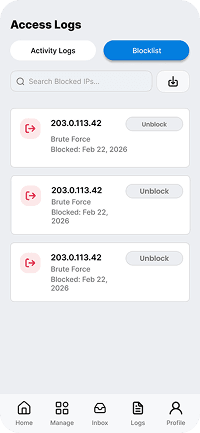
Admin Side
- Employees
- Blocklist
- Activity Logs
Result
- Transformed a desktop-focused system into a usable mobile experience
- Simplified complex workflows into mobile-friendly interactions
- Improved accessibility of key features for on-the-go use
- Delivered high-fidelity mobile designs aligned with project requirements
The project provided a clear direction for translating complex desktop workflows into an efficient mobile solution.
The final outcome established a clearer and more practical direction for bringing the Central Hub to mobile. By prioritizing essential workflows and reducing unnecessary interface complexity, the proposed experience made the system easier to navigate while preserving the functionality users rely on.
The high-fidelity designs also gave the team a concrete visual reference for how the mobile experience could be structured and developed moving forward.